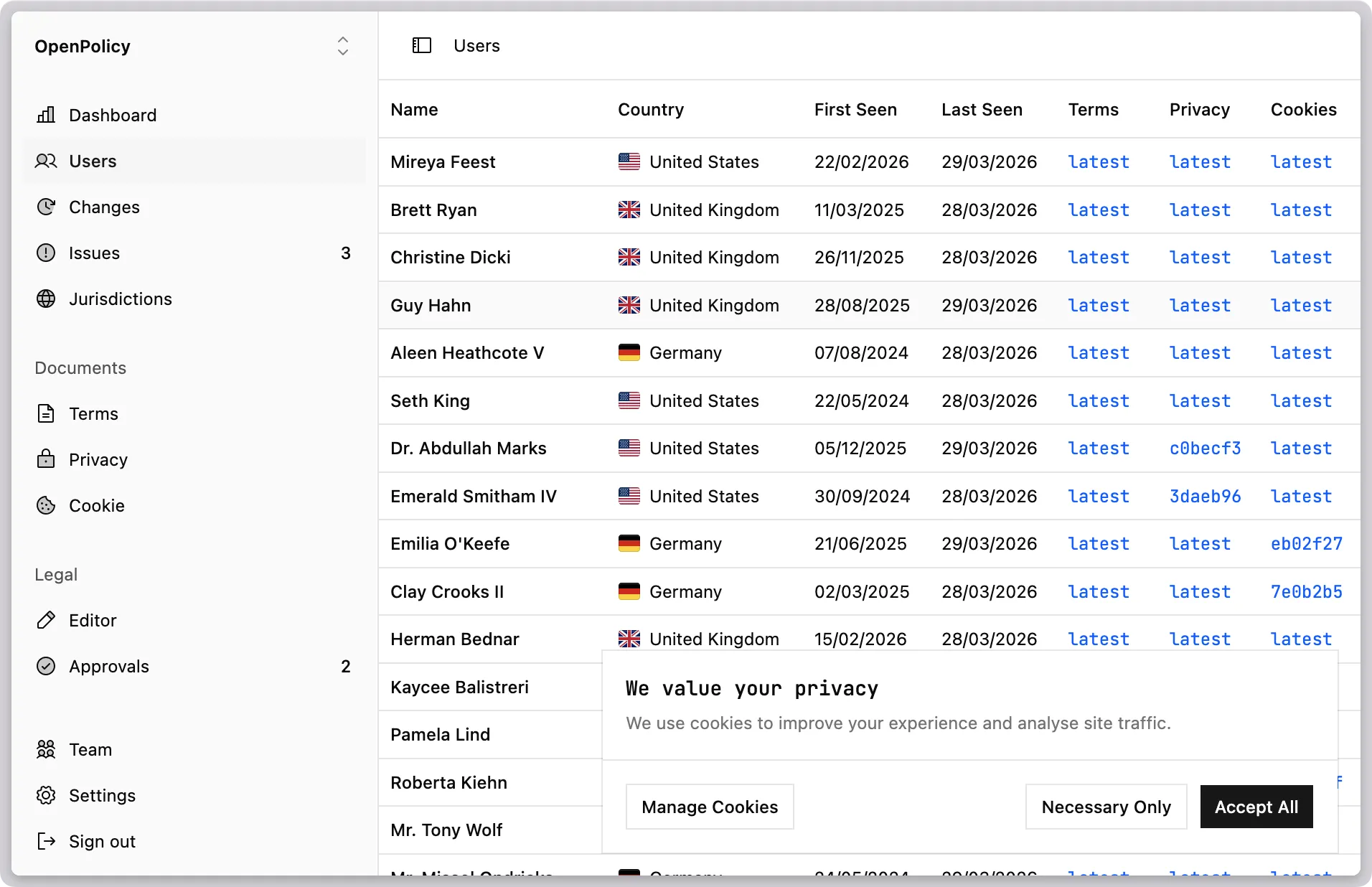
Most cookie banners arrive as a third-party script tag. That means an extra DNS lookup on every page load, a flash of unstyled content while the script boots, a vendor dashboard you have to log into to change the copy, and a component that will never quite match your design system.
@openpolicy/cookie-banner is a shadcn registry item. The code lands in your repo — not a CDN. It’s styled with Tailwind, wired to your OpenPolicy config, and editable like any other component in your project.
Install
bunx shadcn@latest add @openpolicy/cookie-bannerThis drops CookieBanner and CookiePreferences into components/ui/openpolicy/ and adds an @openpolicy/config starter at lib/openpolicy.ts if one isn’t already there.
Add cookies to your config
Open lib/openpolicy.ts and add a cookie section:
import { defineConfig } from "@openpolicy/sdk";

export default defineConfig({
  company: { ... },
  cookie: {
    effectiveDate: "2026-03-31",
    cookies: {
      essential: true,
      analytics: true,
      functional: false,
      marketing: false,
    },
  },
});
The categories you list here (essential, analytics, etc.) drive both the banner copy and the preferences panel — no separate config file.
Wire up the provider
Wrap your root layout with <OpenPolicy>. The provider reads the cookie config and manages consent state in localStorage:
import openpolicy from "@/lib/openpolicy";
import { OpenPolicy } from "@openpolicy/react";

export default function RootLayout({ children }) {
  return (
    <OpenPolicy config={openpolicy}>
      {children}
    </OpenPolicy>
  );
}
Drop in the components
Both components read from useCookies() internally — no props needed:
import {
  CookieBanner,
  CookiePreferences,
} from "@/components/ui/openpolicy/cookie-banner";

export default function RootLayout({ children }) {
  return (
    <OpenPolicy config={openpolicy}>
      {children}
      <CookieBanner />
      <CookiePreferences />
    </OpenPolicy>
  );
}
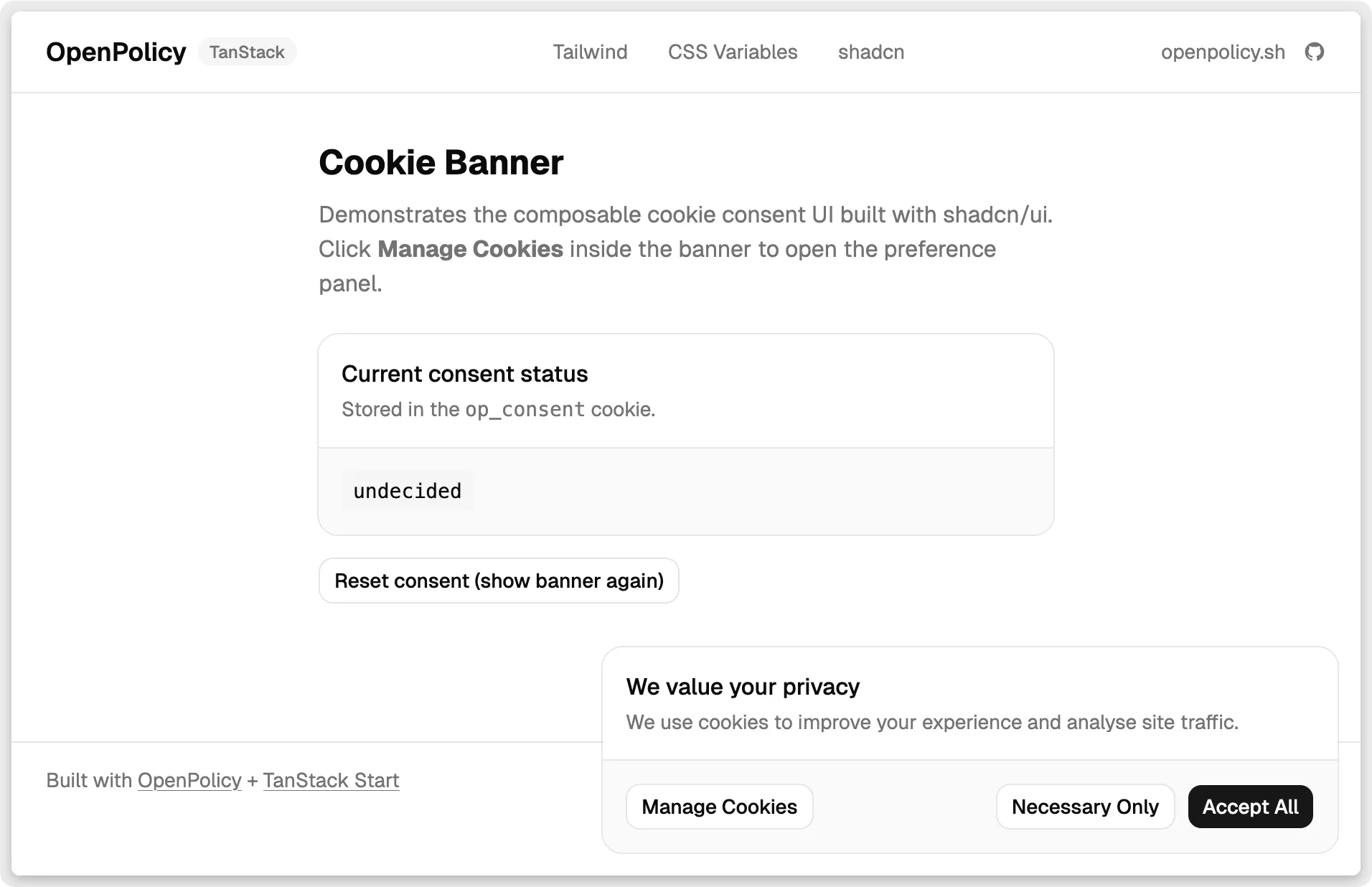
CookieBanner renders a fixed bottom-right card the first time a visitor lands. It has three buttons: Accept All, Necessary Only, and Manage Cookies (which opens the preferences dialog). CookiePreferences is a shadcn Dialog with per-category toggles, plus Save and Reject All.
Gate content on consent
ConsentGate conditionally renders its children based on what the user has consented to:
import { ConsentGate } from "@openpolicy/react";

// Only renders if the user has enabled analytics:
<ConsentGate requires="analytics">
  <PlausibleScript />
</ConsentGate>

// Requires both analytics and marketing:
<ConsentGate requires={{ and: ["analytics", "marketing"] }}>
  <SegmentScript />
</ConsentGate>
This replaces the scattered if (consent.analytics) checks that tend to accumulate in app code.
Build your own UI
If shadcn isn’t part of your project, or you want a fully custom banner, useCookies() gives you everything you need:
const {
  route,           // "cookie" | "preferences" | "closed"
  acceptAll,       // () => void
  acceptNecessary, // () => void
  categories,      // [{ key, label, enabled, locked }]
  toggle,          // (key: string) => void
  save,            // () => void
  has,             // (expr: string | ConsentExpr) => boolean
} = useCookies();
route tells you which screen to show. categories is derived from your openpolicy.ts config — add functional: true and it appears automatically. has is the same expression evaluator that powers ConsentGate.
Why this is better than a script tag
- No external requests. The components live in your repo. No third-party DNS lookup, no CDN dependency, no outage risk.
- Matches your design. Edit
cookie-banner.tsxlike any other component — swap Tailwind classes, use your design tokens, change the copy. - Config-driven categories. Cookie categories come from
openpolicy.ts. Add or remove a category there and it propagates everywhere: the banner, the preferences panel, andConsentGate. - Consent gates, not manual checks.
<ConsentGate requires="analytics">is clearer and less error-prone than checking a consent object in every script component. - Inspectable. Consent is stored in localStorage under
op_consent. Open DevTools and you can see exactly what was recorded — no black box.
The same openpolicy.ts config powers the <PrivacyPolicy>, <TermsOfService>, and <CookiePolicy> React components too. One file, all your legal docs.
If you build something with it, open an issue or share it on social. We’d like to see what you make.